 Project #2: Mobile Commerce App
Overview
Project 2 will really test your new skills, bringing weeks of knowledge together to create an app that integrates many different technologies and principles. This app will allow a user to search and buy products from your digital store!
You will be working individually for this project. The project will be spread across three weeks (two weeks of lessons, and one solid week of implementation), with separate deliverables due at the end of each week. Although the deliverables will be separate, we will be incorporating them all into a single app, expanding upon the previous week's work.
Be creative! You can do whatever you want, as long as it meets the project requirements and the student code of conduct.
Also, for this project, you will be providing mock data (i.e. you will not be connecting to the internet to download data). However, to make your lives easier, you are allowed to use the Picasso photo library if you want to load images from the web.
--
Here's a overview of the following weeks:
- Week 4 & 5 will feature lessons that focus on the back-end database
- Week 5 & 6 will feature lessons that focus on UI, UX, and testing
- Week 6 delve into detailed lessons on these topics for half of the week; then there will be no lessons. The following 5 days will be dedicated project time.
- Week 7 will wrap up the project. On the final day of the project the class will present their projects.
- Note: Your projects must be done by the time you present, or you risk losing points.
Requirements
Your work must:
- Allow the user to search by at least three different product-related criteria
- Examples: name, price, availability, size, description, etc.
- Show results in separate entries/pages to the user, including descriptions, images, and whatever else you like
- Use relationships between tables
- Gather data for the search results from the database
- Allow the user to add products to a shopping cart, which they can view at any time
- Incorporate Object Oriented principles into your app
- Create a class that defines all of the products and more specific classes that extend it
- It is suggested to make a singleton class for the Shopping Cart that manages the products
- Contain code comments, explaining the functionality behind sections of code
- Include at least 4 user stories
- Include espresso tests for your app
- Ensure that you add a sufficient number of tests for the features of each screen of your app
Bonus:
- Incorporate Material Design principles into your app
- Create a review system for user feedback for each product
- Add more complexity to the user's searches (possibly allowing more than one search criteria at a time)
- Add JUnit tests for your non-Android classes (i.e. not Activity or Fragment)
- Incorporate Square's Picasso photo library
Code of Conduct
As always, your app must adhere to General Assembly's student code of conduct guidelines.
If you have questions about whether or not your work adheres to these guidelines, please speak with a member of your instructional team.
Necessary Deliverables
Week 4:
- Create a Github repository
- Brainstorm an app name and idea
Week 5 (Due Monday @ Midnight CST):
Place non-code requirements in their own markdown files.
- An entity relationship diagram that defines how your app's data is modeled.
- User stories that define the features of your app
- Using your ERD as a guideline, implement the classes required for the app.
- They don't have to be perfect and do everything you want, but they should still provide a basis of your class structure. They must at least have member variables and method stubs.
Week 6:
- A completed, basic version of the user interface for your app, with placeholder data and resources to fill out your screens.
Week 7:
- A final, working version of your app with more polish than the first week. Be creative!
- A git repository hosted on GitHub, with frequent commits dating back to the very beginning of the project. Commit early, commit often.
- A
readme.mdfile describing what the app does, and any bugs that may exist. - One screenshot in the
readme.md - Text file with at least 8 manual test cases.
Code of Conduct
As always, your app must adhere to General Assembly's student code of conduct guidelines.
If you have questions about whether or not your work adheres to these guidelines, please speak with a member of your instructional team.
Suggested Ways to Get Started
- Complete as much of the layout as possible before working on your logic.
- Write pseudocode before you write actual code. Thinking through the logic before doing it helps a lot, and is a skill that most employers seek.
- Test functionality as soon as you complete it.
Useful Resources
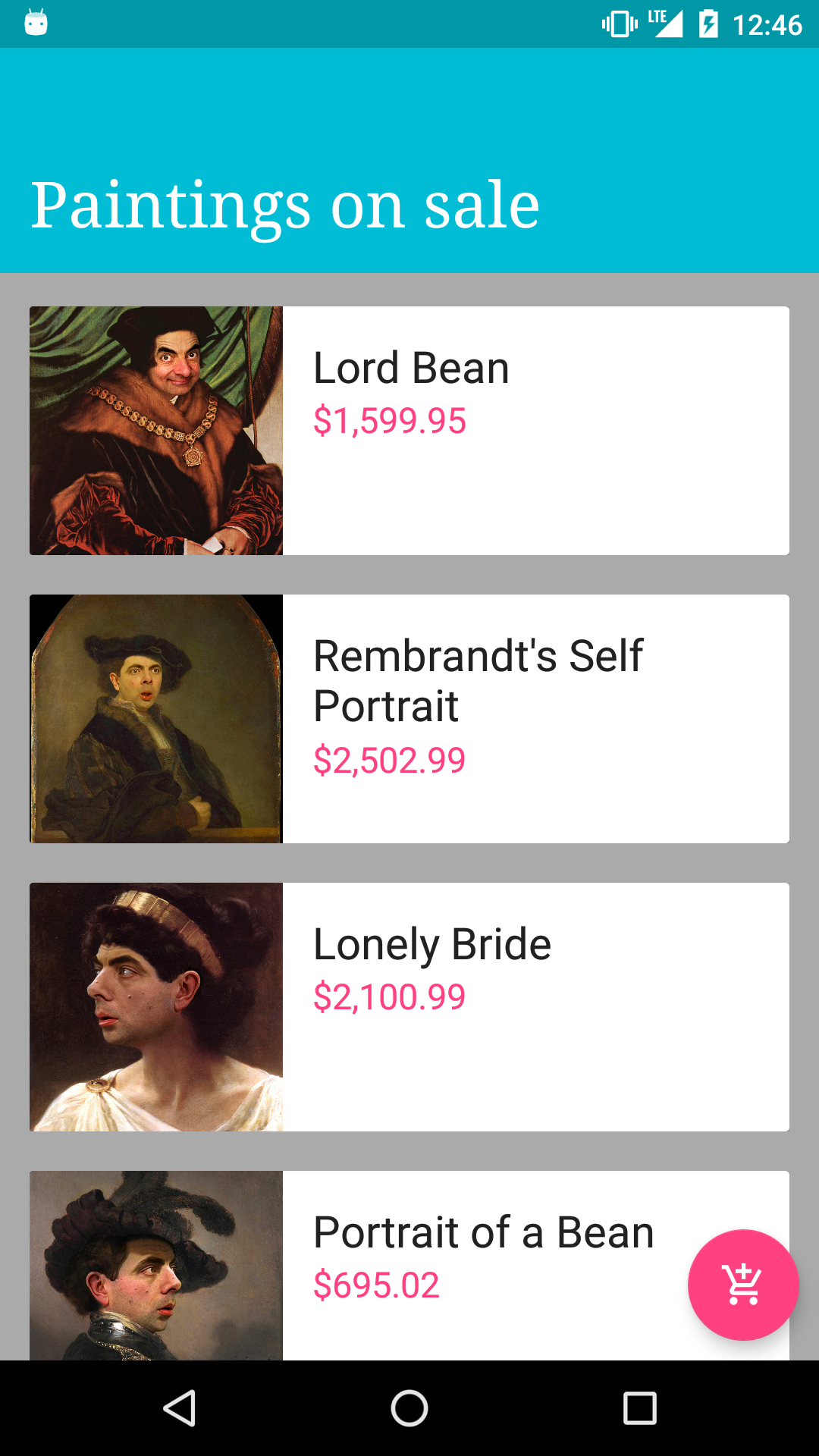
Example Deliverable
Below you can find an example of what the instructors' final product looks like. Be creative with your own designs!

Project Feedback + Evaluation
Base on the requirements you can earn a maximum of 24 requirement points and 3 bonus points on this project. Your instructors will score each of your technical requirements using the scale below:
Score | Expectations
----- | ------------
**0** | _Incomplete._
**1** | _Does not meet expectations._
**2** | _Meets expectations, good job!_
**3** | _Exceeds expectations, you wonderful creature, you!_
This will serve as a helpful overall gauge of whether you met the project goals, but the more important scores are the individual ones above, which can help you identify where to focus your efforts for the next project!